



Shards
Fandom: Cyberpunk 2077 Informational Shards | Cyberpunk 2077 Progression Shards VULKK: Cyberpunk 2077 All Perk Shard Locations Guide
Information Shards
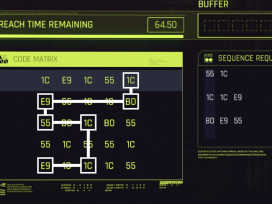
To read shards in Cyberpunk 2077, open your main inventory, hover over the Journal tab, and select Shards from the dropdown menu. Here, you can browse all collected shards, with unread shards often marked as new or highlighted. Select a shard to read its contents, which can include lore, schematics, and other information.
Understanding Informational Shards
- Purpose: Shards are digital collectibles that provide lore, context, and additional information about the Cyberpunk 2077 world.
- Information Types: They can contain text, images, audio, maps, schematics, and even Braindances.
- Categories: Shards are organized within the Shards menu, often into categories such as Technology, Notes, or Other.
- Encrypted Shards: Some shards are “encrypted” and require decryption before you can read their contents.
- Reading: Once a shard is selected from the menu, a text box will appear, allowing you to read its content at your leisure.
Cyberpunk Shards Database
https://nightcityshards.net/
This is a completely fan made database and nothing to do with CDprojektRed.

Upgrade Shards
- Perk Shards: Adds a single Perk Point
- Skill Progression Shards: Adds XP to one of the five skill categories
- Cyberware Capacity Shard: Adds various amounts to overall Cyberware Capacity Limit
- Carrying Capacity Shard: Increases overall carrying capacity.
Cyberpunk 2077’s Progression Shards target specific skills, and are by far the more common of the upgrade shard types. These XP boosters will add a specific amount of XP to one of the five skill categories, which are Headhunter, Netrunner, Shinobi, Solo, and Engineer. Players will progress through these categories naturally by completing associated tasks. For example, headshot kills will add XP to the Headhunter category. Progression Shards simply add a large chunk to the category. Perk Shards, instead of adding XP, simply add a single Perk Point for V to use however they see fit. And capacity shards simply add cyberware or carrying capacity.
One of the key ways to find upgrade shards in Cyberpunk 2077, will be to loot them off of dead bodies, or from various chests found in-world. While Perk Shards remain much harder to find, the 2.0 update has vastly increased the amount of Progression Shards found in this manner. And due to the update’s complete overhaul of the Cyberware system, there has also been new progression shards introduced into the game.
Perk Shard Locations
GameRant: Cyberpunk 2077: All Perk Shards (including locations)
A few notes about shards in your inventory
Shards that upgrade your Cyberware Capacity in Cyberpunk 2077 do not go into your inventory; they are automatically applied when you pick them up (you should get a visual indication of this)
Skill progression shards in Cyberpunk 2077 are also typically applied automatically when you pick them up, increasing your skill level and granting experience without needing to go into your inventory. They only appear in your inventory as a purple consumable if your skill level is already at the maximum for that particular skill.
Perk shards are not automatically applied when you pick them up. But they do not go into your inventory either. They are simply added to your perk count allowing you to allocate them wherever you want.