


SCANNING
Scanning in Cyberpunk 2077 is a mechanic that allows you to gather information, identify hackable objects, and highlight loot by using your Kiroshi optics. To scan, you activate the scanner (hold the Left Bumper/L1 or tap the button on PC/Xbox) to view a target or press it to perform a “quick scan” that highlights all interactive items in a large area for a short time. The scanner reveals details like enemy stats, access points for hacking, and the location of valuable items.
You can watch this video to learn how to scan security systems in Cyberpunk 2077:
How to use the scanner
- Activate scanner: Hold the Left Bumper on PlayStation, L1 on Xbox, or your assigned scan button (often the right bumper/r1 on PC) to enter scan mode.
- Quick Scan (highlight loot): Tap the scan button to highlight all nearby lootable containers for a few seconds. This feature may need to be enabled in your controls, as it is disabled by default for some control schemes.
- Target scanning: In scan mode, hover your reticle over an enemy, object, or vehicle to see details about it. This will bring up a menu with “Data” and “Hacking” tabs, with the Data tab showing information and the Hacking tab showing available quickhacks.
What you can do with scanning
- Gather information: Scan enemies to see their level, affiliation, and Street Cred value. Scan for entrances, access points, and other points of interest to help with infiltration and navigation.
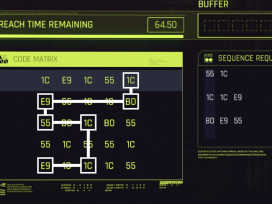
- Hack devices: Target devices with a green outline to see and perform quickhacks, such as opening doors or disabling cameras. Hacking requires a cyberdeckCyberdeck In Cyberpunk 2077, a Cyberdeck is a piece of cyberware that functions as a personal computer, acting as your primary interface for the game's hacking system, or "Netrunning". It allows players to use Quickhacks to remotely control devices, overload enemy cyberware, cause malfunctions, and even spread effects between enemies to deal damage, gain information, or distract them. Each Cyberdeck is designed for different playstyles and offers unique bonuses to RAM recovery, hack speed, or the spread and cost of Quickhacks. with the quickhacks installed.
- Find loot: Use quick scan to instantly highlight all interactive items in your vicinity, making it easier to collect loot and find useful items.
- Color scan: Scan vehicles with your Kiroshi optics to save their paint job, which can then be applied to your own vehicles through the TWINTONE™ database.
- Complete missions and objectives: Some quests require you to scan specific objects or enemies to advance, like completing objectives in a braindance or scanning security systems.